TechRadar Verdict
The Kindle Scribe Colorsoft is Amazon’s ultimate e-reading device, packing everything that makes the other Kindles so great into one device. It’s got excellent features and a large display, but also some shortcomings at its high price point.
Check Amazon Singapore Check Lazada Singapore Pros- +
Gets the basics right
- +
Color and Scribe features are well-packaged
- +
Large and sharp display
- -
Pricey
- -
Some features could use updating
Why you can trust TechRadar We spend hours testing every product or service we review, so you can be sure you're buying the best. Find out more about how we test.
Jump To:- Two-minute review
- Price & availability
- Specs
- Design
- Display
- Performance
- Performance
- Battery
- Should I buy it?
- Also consider
- How I tested
Kindle Scribe Colorsoft: Two-minute review
The Kindle Scribe Colorsoft delivers everything you could want from an e-reader (mostly). Amazon packed this device with all of the key features of its other Kindles, but unfortunately, it commands a much higher price as a result.
The Kindle Scribe Colorsoft nails all the e-reader basics, and that chunky upcharge brings some color into the mix so you can experience comics and the like. You also get a fancy pen to annotate and take notes. Those features function well overall, but they're not perfect.
Despite combining the “Scribe” and “Colorsoft” portions in the Kindle, you actually can't use them in tandem. You can't annotate or take any notes when you're reading comics or manga, which is ironic considering this is meant to be an all-in-one solution.
Latest Videos FromWatch full video here:
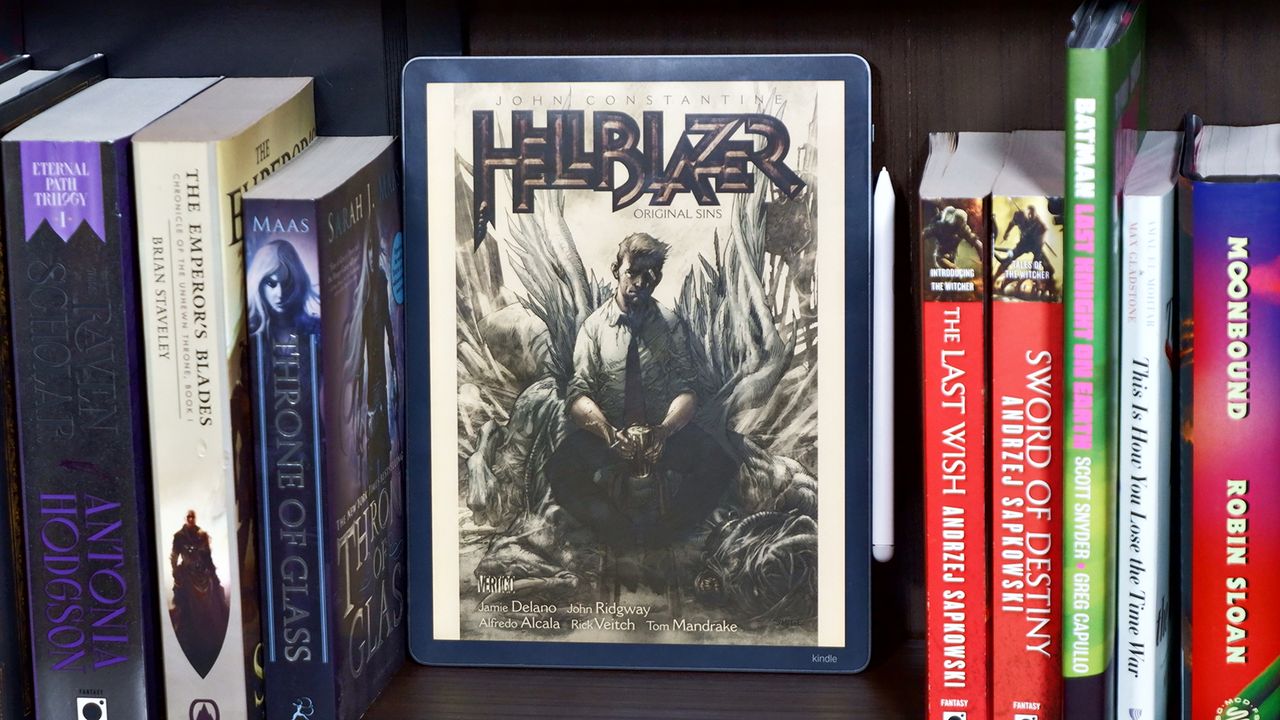
However, the 11-inch display is large enough to mimic the size of some graphic novels. That means you have plenty of room to take notes, too. The screen also captures images in strong detail.
So, the Kindle Scribe Colorsoft is a great e-reader, but unless it's on sale, I'd only recommend it to folks in a higher tax bracket.
Kindle Scribe Colorsoft review: price and availability
- From $629 / £569 / AU$999
- Launched in the US and UK on December 10, 2025
- Launching in Australia on June 10, 2026
No. I simply cannot recommend the Kindle Scribe Colorsoft to the average Kindle user. It’s just too damn expensive. Adding color and a pen to your Kindle is a luxury that I would only recommend to those invested in Amazon’s eBook ecosystem or someone with significant disposable income.
At its starting price with 32GB of storage, the Kindle Scribe Colorsoft costs $629 / £569 / AU$999 (it will launch in Australia on June 10). For 64GB of storage, that price jumps up to $679 / £629 / AU$1,099. As someone who just wants to read a book, that makes my wallet cry. But keep in mind that this is the peak premium Kindle device.
Get daily insight, inspiration and deals in your inboxContact me with news and offers from other Future brandsReceive email from us on behalf of our trusted partners or sponsorsBy submitting your information you agree to the Terms & Conditions and Privacy Policy and are aged 16 or over.You can break down the features of the Kindle Scribe Colorsoft into three categories — Kindle, Scribe, and Colorsoft — and it's quite simple to pick apart its value proposition as a result. The Kindle is just your traditional Paperwhite device for $159 / £159 / AU$199, and then the Colorsoft adds a splash of color to that for $249 / £269 / AU$399, and finally, you’ve got the Scribe for $399 / £379 / AU$649, which is like the Paperwhite, except you can write on it. Combine all that, and you get the Kindle Scribe Colorsoft.
If, for some reason, you need all three features packed into one device, then obviously, your only option in the Kindle ecosystem is the Kindle Scribe Colorsoft. But focusing on one key feature will save you some decent coin, so I recommend doing just that before committing such a princely sum to this all-in-one device. Not to mention, there are cheaper color e-readers out there, like the Kobo Libra Colour ($219 / £199 / AU$359).
- Value score: 3 / 5
Kindle Scribe Colorsoft review: Specs
Swipe to scroll horizontallyStarting price:
$629 / £569 / AU$999
Display size:
11 inches
Storage:
32GB
Display sharpness:
300 ppi Black; 150 ppi Color
Weight:
400g
Dimensions:
189 x 245 x 5.4 mm
Screen lights:
36 white LEDs; 34 amber LEDs
Battery life:
8 weeks, reading 30 minutes/day, Brightness: 13
Document support:
Kindle Format 8 (AZW3), Kindle (AZW), TXT, PDF, unprotected MOBI, PRC natively; PDF, DOCX, DOC, HTML, EPUB, TXT, RTF, JPEG, GIF, PNG, BMP through conversion; Audible audio format (AAX)
Kindle Scribe Colorsoft review: design
- Slightly less portable, but more reading room
- Pen placement is awkward
The 11-inch Kindle Scribe Colorsoft is almost as big as some of the taller graphic novels I have on my shelf, which seems appropriate considering its purpose. It does make it somewhat more difficult to carry around than the 7-inch Kindle Colorsoft, but it feels more authentic. And despite the larger 189 x 245mm body, it weighs only 400g and is 5.4mm thick, so it’s still more portable than some hardcover books.
As far as the overall design goes, the Kindle Scribe Colorsoft looks exactly how you imagine a Kindle would look, except without that chunky bottom bezel. The bezels are still large enough for your hands to grip the device without getting in the way of the screen.
I reviewed the Graphite model with the white pen, but you can get the Fig colorway, which also comes with a Fig-colored pen. I usually don’t say this about tech, but I think I prefer the black model, only because the Fig colorway might be a little distracting while reading.
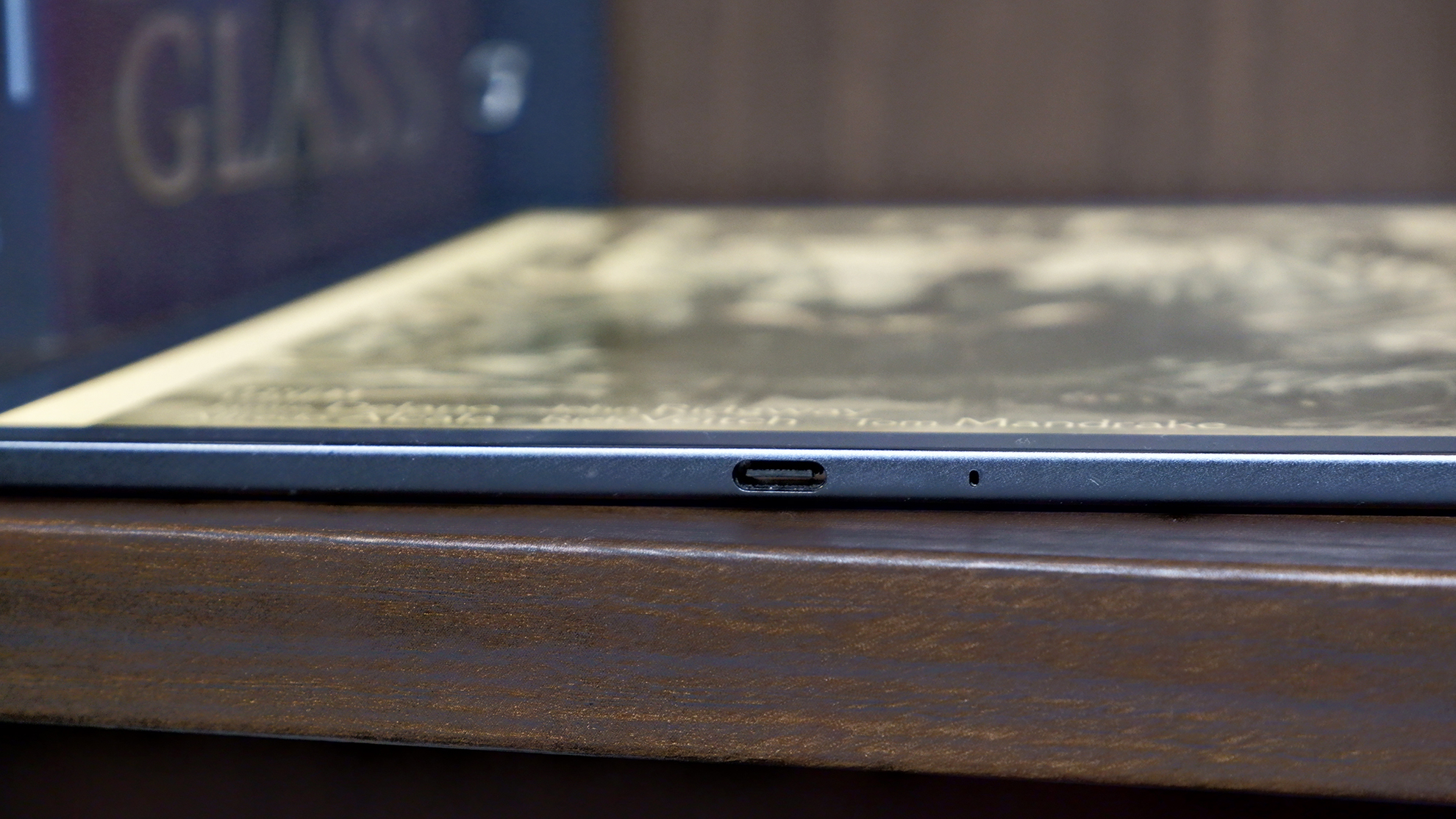
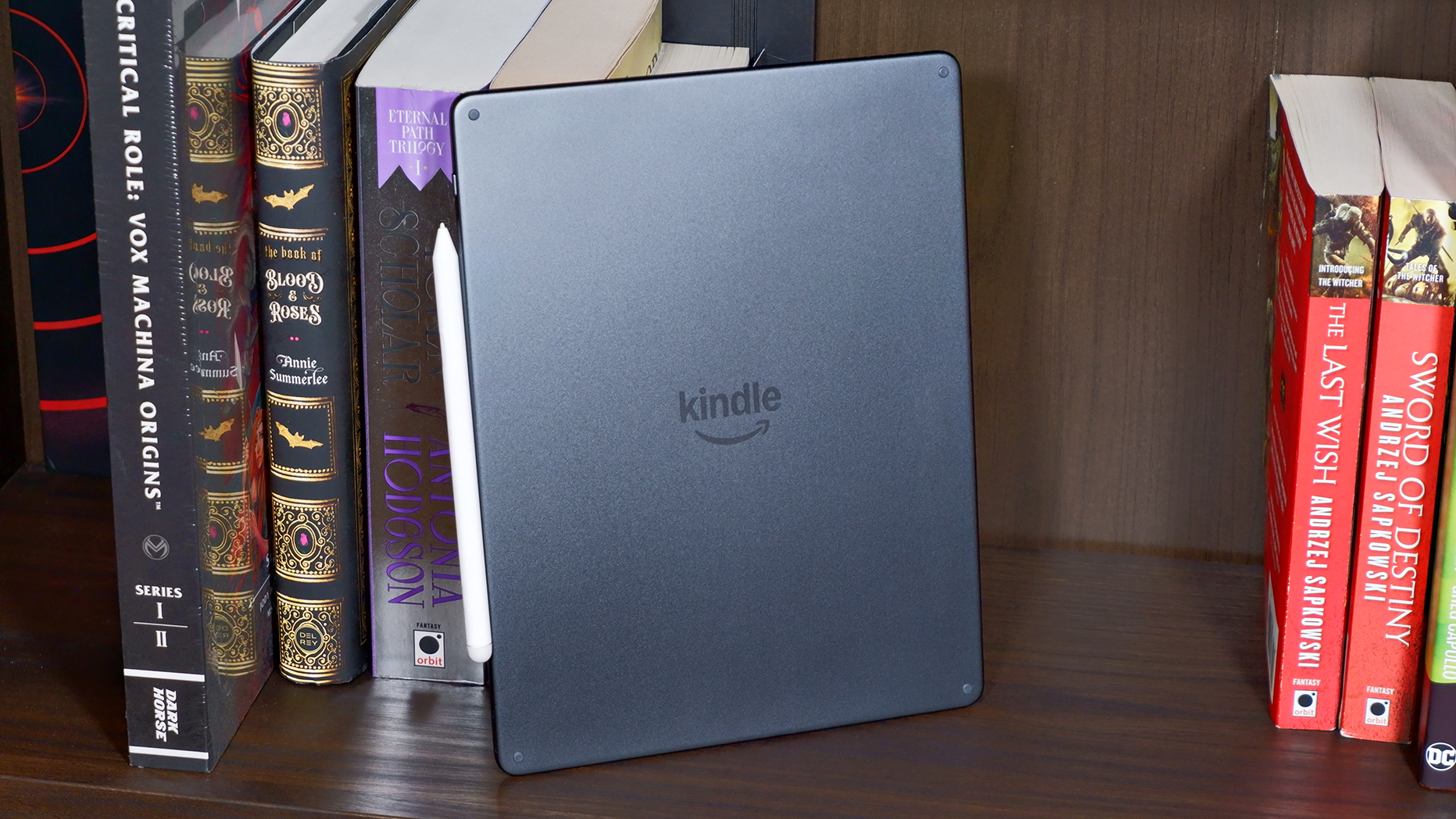
At the bottom, you’ll find the USB Type-C port for charging, and the power button is located on the top-right side. Just below that is the space where the pen attaches.
If you’re thinking that the pen might get in the way while attached to the right side, you’d be correct. It’s a silly design choice, especially when the pen is small enough (155 x 8.8mm) to easily fit on top of the Kindle.
Overall, the Kindle Scribe Colorsoft is sleek and inoffensive. It’s thin and light, albeit a bit harder to carry around than previous models, but who doesn’t want a little more reading and writing space? However, I am frustrated by the pen placement.
- Design score: 4 / 5
Kindle Scribe Colorsoft review: display
- There’s color, but it’s not colorful
- Text and images are sharp
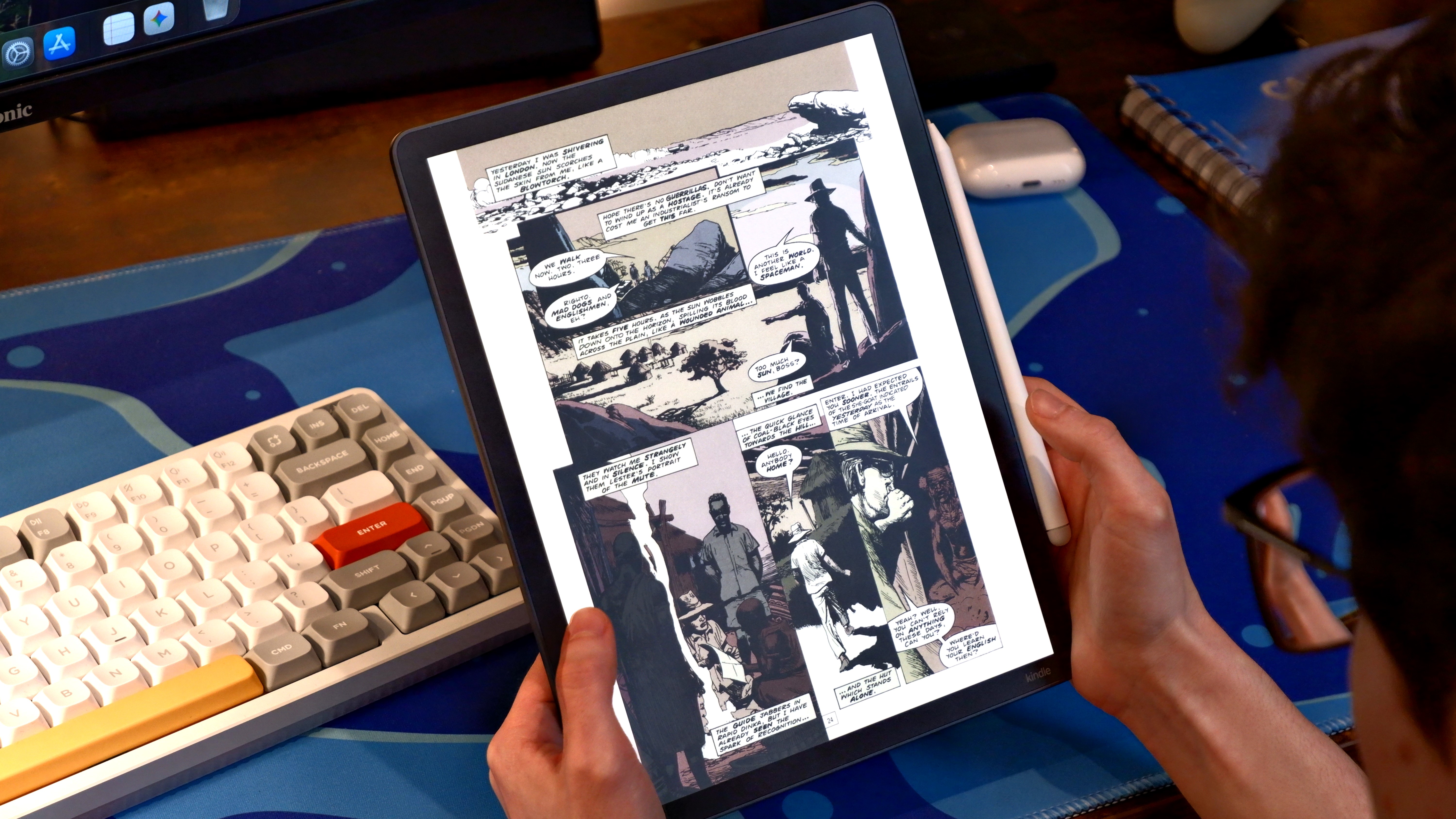
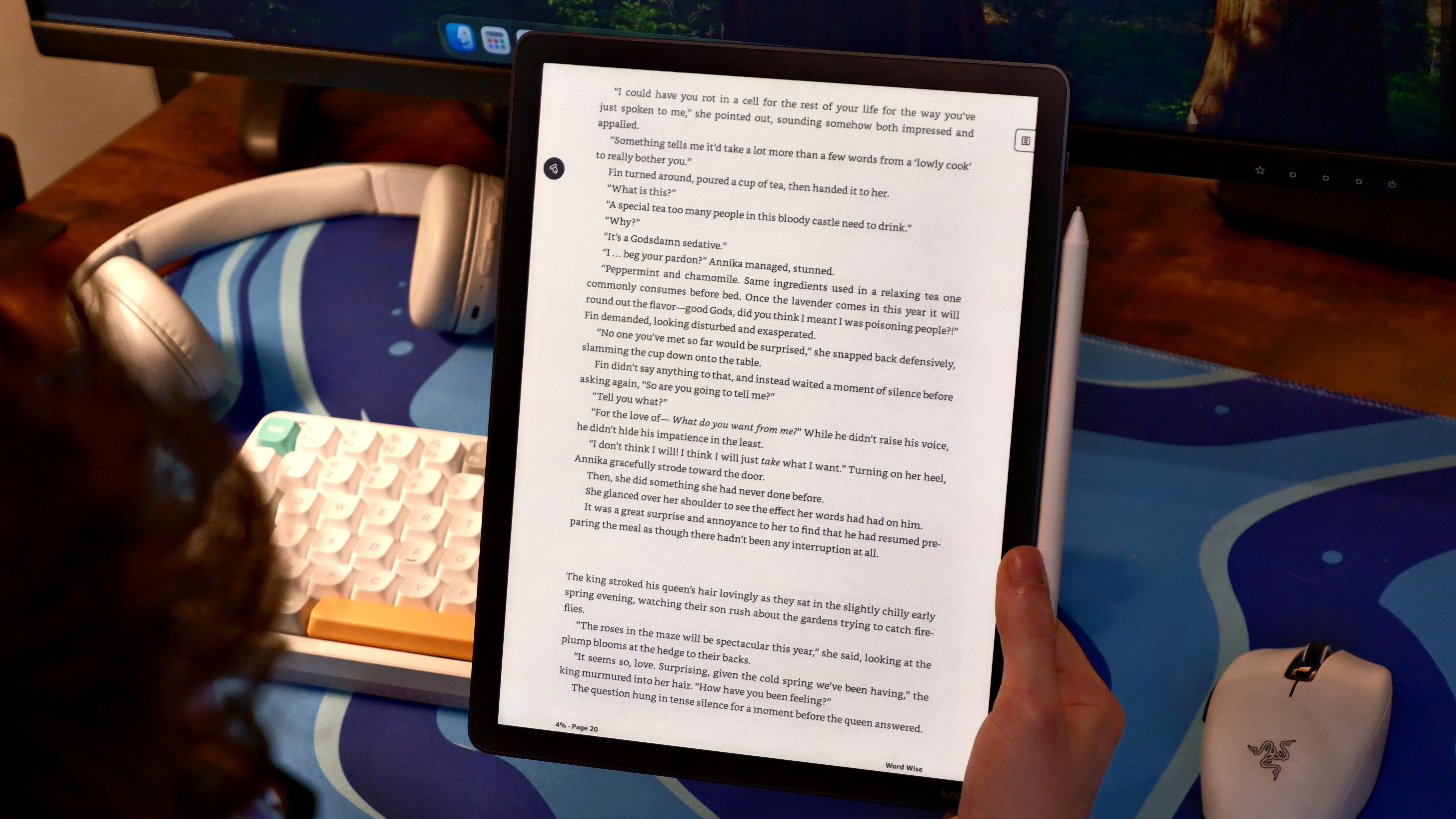
The Kindle Scribe Colorsoft covers the black-and-white spectrum at 300 ppi and adds a splash of color at 150 ppi. There isn’t much the 11-inch display could do to elevate the average book reading experience, but it didn’t have to. Text looked clear and crisp, and the 36 white LEDs and 34 amber LEDs made it so I had a more comfortable reading experience depending on the setting I was in.
Like with other e-ink displays, the LEDs do create a layer of color (white or amber) that warps the image on the screen a little bit. With black text, it’s perfectly fine, as the difference is negligible. However, when introducing color, it’s more noticeable.
The problem is that, while it’s nice to have color, the Kindle Scribe Colorsoft is just not as colorful as I’d like it to be. I read “Hellblazer Vol. 1,” and when John Constantine heads to Africa, there are supposed to be these bright and bold pink and yellow hues, but they are muted on the Scribe Colorsoft’s screen. Even when set to “Vivid” mode, the color doesn’t pop. Honestly, this is to be expected from an e-ink display. But it doesn’t change the fact that you won’t get the same experience as looking at a real graphic novel. Don’t get me wrong, it’s great that we can experience color at all, but at this wild asking price, it’s definitely not worth it for the color alone.
- Display score: 4 / 5
Kindle Scribe Colorsoft review: performance
- Relatively smooth
- The response times you expect
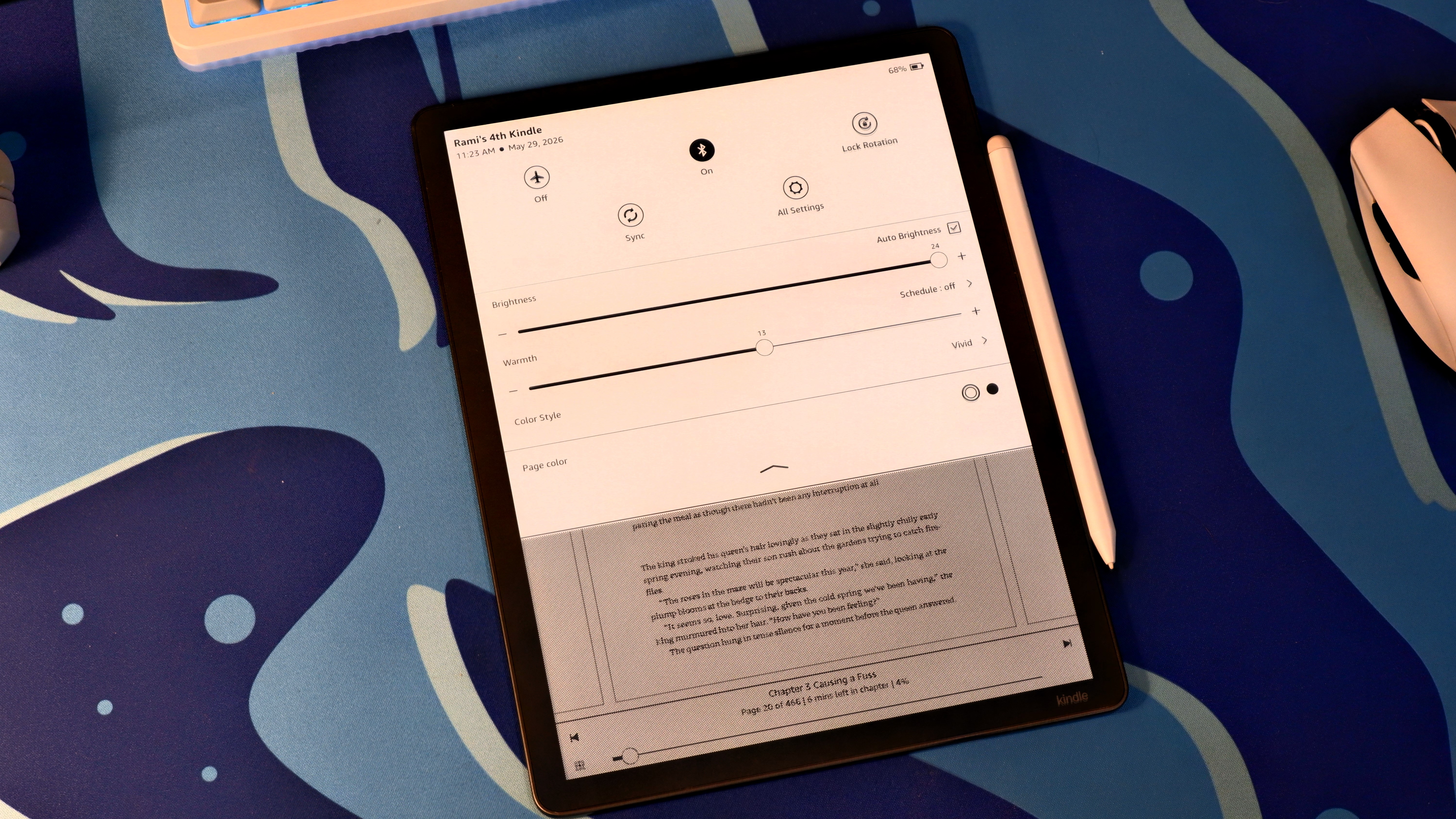
You’re not looking at a racehorse here; this is a little pony, and that's OK. You don’t need all the performance in the world to run an e-reader.
The Kindle Scribe Colorsoft is relatively smooth across the board but still suffers from slightly slow response times during navigation. This isn’t a huge turn-off, since most of the experience comes down to turning a page. I did have to restart my Kindle once because it simply refused to connect to Wi-Fi no matter how many times I tried, but it resolved itself afterwards.
When doing more involved things like annotating or taking notes, the Kindle Scribe Colorsoft kept up with all of my movements and demands with little issue. Zooming in around the pages also looked and felt smooth, although there’s still a slight awkward delay for the image to refresh, as I could clearly see the ghost of an image from the previous screen.
- User experience score: 4 / 5
Kindle Scribe Colorsoft review: software
- Surprisingly fast performance on E Ink
- Smooth zooming, whether color or black and white
All of the important bits of the Kindle Scribe Colorsoft, or any e-reader, come down to the software experience. I am generally happy with what this Kindle provides, and it’s not that much different from other e-readers.
You’ve got the essentials that allow you to adjust the layout, font, spacing, etc. There are little things like the “Popular highlights” and “About this book” info, which are neat. Then there’s Word Wise, which defines unfamiliar words but also still needs a lot of work — it identifies overly simple words even at its lowest setting instead of exclusively honing in on the university-level vocabulary that most people would struggle with.
One of my personal favorite software features is being able to isolate comic panels. Double-tapping on a comic panel will make it full screen, and then you can flip through the following panels with ease. When it gets to a new page, it’ll show you the full page and then break down each panel at full screen. This is super cool because you don’t have to zoom in to get a closer look at what’s happening. However, it’s not perfect. I noticed an issue when reading “Attack on Titan” where, when there are two panels and text sprawled across them, sometimes the Kindle won’t combine the panels, and it cuts off the text.
Another cool feature is being able to simulate page turns, which I love in theory, but it doesn’t look the best in practice. The problem is that it’s a fade-in and -out effect instead of an actual flipping animation. It looks a bit more natural when reading a book because it’s a quick fade between texts, but it’s a much uglier transition with comics because there’s a lot of ghosting happening. It looks like it fades in chunks, and it was visually unsatisfying to the point where I turned it off.
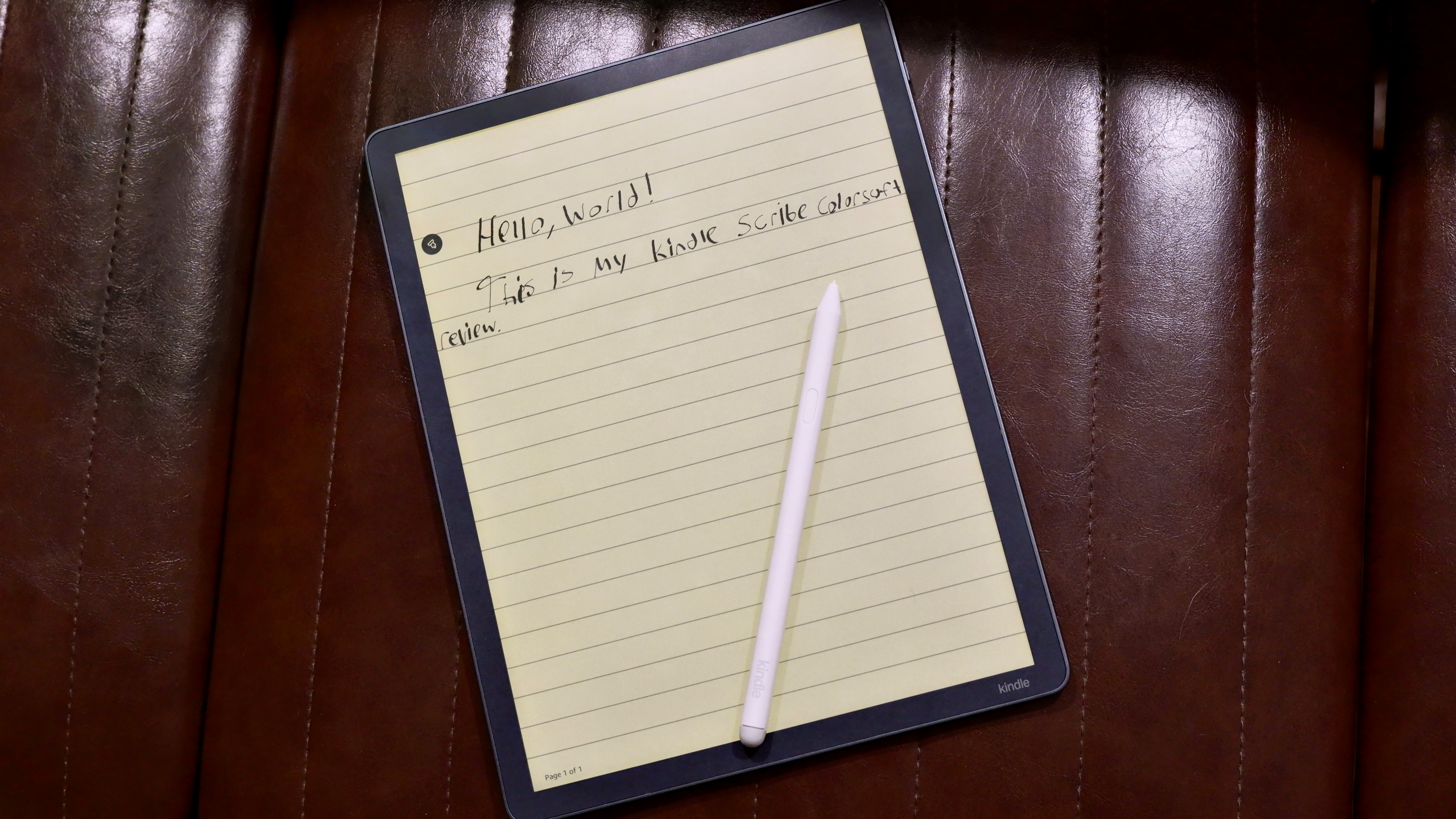
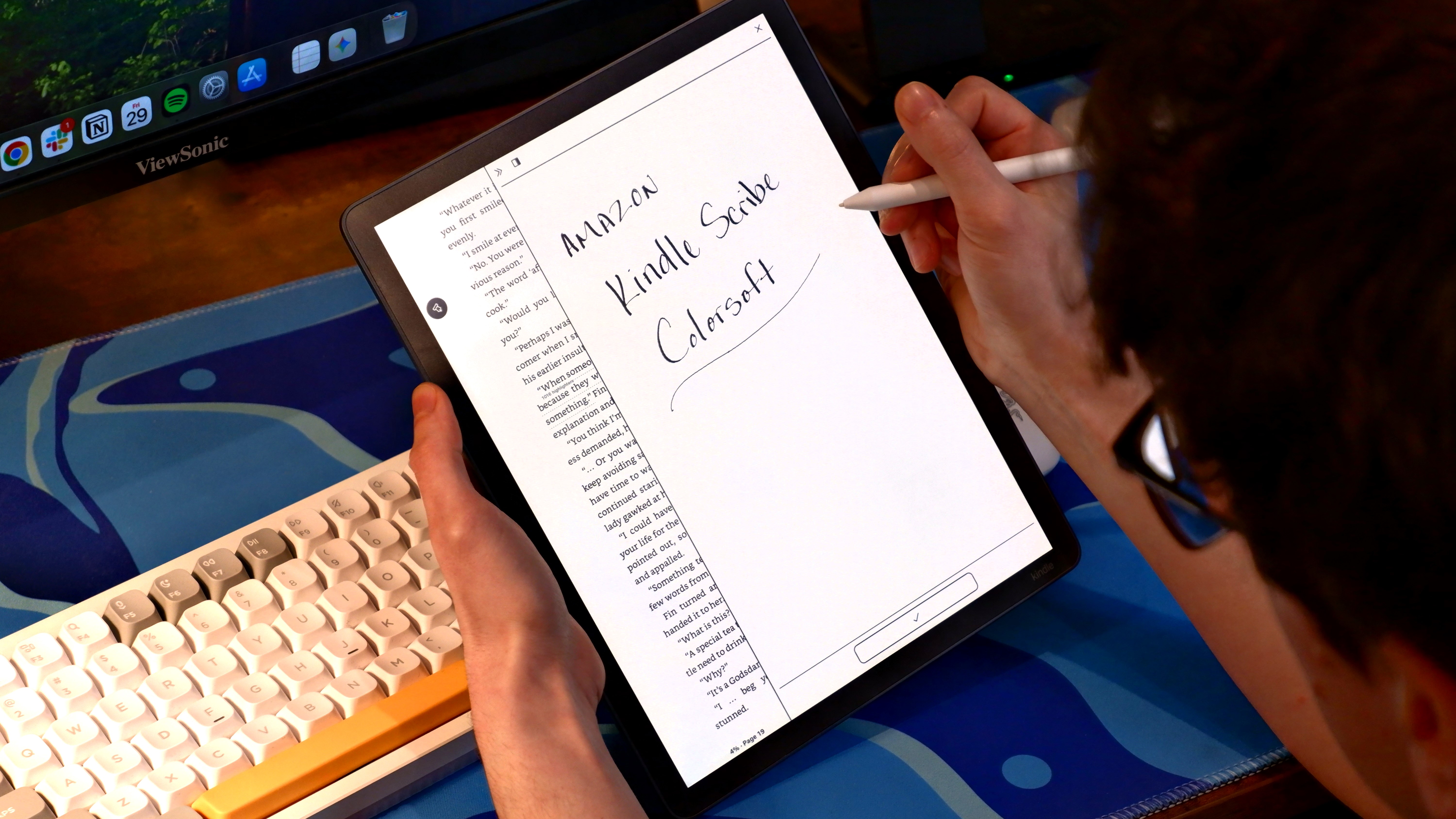
To highlight the “Scribe” portion of this Kindle, the notetaking and markup process is rather smooth. The pen is equipped with an eraser on the back and a shortcut button on its side (defaulted to highlight). When reading a standard book, there are two important icons, one on the left and right. The leftmost icon is for all of your pen settings to customize the look, change between highlighters and erasers, and even insert notes and canvases between the text.
The right side of the screen is where you take your notes; it can expand and either split the screen with the text or hover over it, and wherever you write notes, it’ll attach a note symbol next to the closest text. That’s pretty intuitive, since you can change the layout of the book, so naturally it would move the space of your notes. You can even expand the size of notes to take up the full page if you want, so there’s plenty of room to write.
There are a lot of features for folks interested in the “Scribe” portion of things, and they operate pretty seamlessly overall. There’s even a workspace section where you can take full notes unrelated to what you’re reading. In that workspace, there are two AI features, one of which can summarize your notes, and the other can “Refine writing,” which basically transforms your notes into a text font that you can customize.
The only absent feature I noticed is that you can’t take any notes in comics. That means no drawings, notetaking, or even highlighting.
- Performance score: 4 / 5
Kindle Scribe Colorsoft review: battery
- Light readers can go for weeks
- Heavy readers can go for days
According to Amazon, the Kindle Scribe Colorsoft can survive for eight weeks if you're reading for 30 minutes at just under half brightness. I'll save you the math: that's 28 hours of reading time. For light readers, you could probably stretch that for a few weeks. Heavier readers will likely kill that battery in a few days.
I spent several weeks with the Kindle Scribe Colorsoft, reading roughly an hour every day, and I didn't need to reach for a charger until toward the end of the month. That gives credit to Amazon’s battery life claim.
The reading time you experience will vary heavily based on the brightness of your screen. If you're someone who reads at close to zero brightness, you're going to get a lot more longevity out of the Kindle Scribe Colorsoft.
Unfortunately, the battery does not charge fast. When I first got it, the battery was completely drained, and I had to wait quite a while before the Kindle showed any signs of life. It'll make you think it's broken, so I do not recommend letting it die.
- Battery score: 5 / 5
Should I buy the Kindle Scribe Colorsoft?
Swipe to scroll horizontallyAttribute
Notes
Score
Value
What is there to say other than, “ouch.” The price of the Kindle Scribe Colorsoft is not for the faint of heart.
3/5
Design
This is a pretty sleek and light Kindle all-round, with my only complaint being that the pen placement should’ve been on top and not on the side.
4/5
Display
The screen is crisp and sharp, capturing text easily and, even more impressively, images in comics with great detail. Unfortunately, while there is color, it’s not quite colorful.
4/5
Performance
It does what it needs to do. There are still some slower response times here and there, but otherwise it functions perfectly fine.
4/5
Software
The software experience is great overall; notetakers will be especially pleased. However, there are some misses here and there.
4/5
Battery
The battery life is great. It’ll last for weeks if you’re a light reader, or a few days as a heavy reader.
5/5
Buy it if...
You’re big on comics and notetakingIf you want to add a splash of color to your reading, especially if you’re looking for comics, then the “Color” portion of this device is just for you. And if you’re a serious notetaker, the “Scribe” portion is also just for you. A perfect combo (even though you technically can’t combine the two — sorry).
You want a large e-reading displayOutside of the unique features, you’re also just getting a large e-reading display. The Scribe Colorsoft's 11-inch screen is large enough to mimic the size of some graphic novels. It’s also quite sharp.
You want a feature-filled e-readerOutside of the Kindle Scribe Colorsoft’s core functions, there are plenty of features onboard to make your reading and writing experience tailored specifically to you.
Don't buy it if...
You’re looking for a budget e-readerThis may be obvious, but don’t dig yourself into a rabbit hole trying to get the best e-reader out there. If you’re on a budget, look elsewhere.
You want “Color” or “Scribe,” not bothCare for one more than the other? Perfect, I have great news for you. You can get either a Kindle Scribe or a Kindle Colorsoft for much cheaper than you can get their combined variation here.
Also consider
Amazon Kindle ColorsoftWe’ve seen color e-readers, but the Kindle Colorsoft offers amazing performance on E Ink, with Amazon’s robust Kindle library and e-book simplicity. It’s a pricey upgrade, but it’s going to change the way we see Kindle forever.
Read our full Amazon Kindle Colorsoft review
Amazon Kindle ScribeThe Amazon Kindle Scribe (2024) could have been a simple (read: boring) update, but Amazon added AI features and… they’re actually good?! Kindle AI brings better handwriting recognition and note summaries — nothing untoward, and it makes the Kindle Scribe an even more competitive writing tablet, on top of being the best big e-reader you can buy.
Read our full Amazon Kindle Scribe review
Amazon Kindle PaperwhiteAmazon made the right decision in adopting the E Ink Carta 1300 display for its 12th-generation Kindle Paperwhite, which adds more contrast to text and makes it just that much nicer to read on. However, the extra millimeters of screen real estate are neither here nor there, and even though overall performance is slightly better than the previous generation, it's not a huge difference in real-world use. The design looks cheap for its bumped-up price tag, meaning the Paperwhite no longer represents good value, especially when a large 4.5GB of its 16GB storage is taken up by the operating system.
Read our full Amazon Kindle Paperwhite review
How I tested the Kindle Scribe Colorsoft
- Review test period = four weeks
- Testing included = books, comics, manga
I spent a month bouncing around between books, comics, and manga. I read “The House Witch,” “The Time of Contempt,” “Hellblazer Vol. 1,” and “Attack on Titan,” most of which were available on Prime Reading. I spent roughly an hour a day reading. Logging into my Amazon account and getting them on the device was easy. Downloading comics and manga takes a little longer than books, but not significantly so.
For the “Scribe” portion of the review, I highlighted portions of dialogue and wrote little notes to myself to come back to later because the text was either written impeccably well or it was just a funny line. I also drew canvases between the text — just silly doodles right in the middle of the book.
First reviewed: May 2026
Amazon Kindle Scribe Colorsoft: Price Comparison
 No price informationCheck Amazon Singapore
 No price informationCheck Lazada SingaporeWe check over 250 million products every day for the best pricespowered by
  TOPICS
Amazon
Kindle
TOPICS
Amazon
Kindle
 Rami Tabari
Rami Tabari is an Editor for Laptop Mag. He reviews every shape and form of a laptop as well as all sorts of cool tech. You can find him sitting at his desk surrounded by a hoarder's dream of laptops, and when he navigates his way out to civilization, you can catch him watching really bad anime or playing some kind of painfully difficult game.
View MoreYou must confirm your public display name before commenting
Please logout and then login again, you will then be prompted to enter your display name.
Logout Back To Top Read more eReaders
The best Kindle in 2026
eReaders
The best Kindle in 2026
 eReaders
The best ereader for 2026
eReaders
The best ereader for 2026
 Tablets
I took the iPad Air and Kindle Scribe Colorsoft drawing in the park — and there's only one I want to use in direct sunlight
Tablets
I took the iPad Air and Kindle Scribe Colorsoft drawing in the park — and there's only one I want to use in direct sunlight
 eReaders
Onyx Boox Palma 2 Pro review: a pocket-sized ereader with a color screen and stylus support
eReaders
Onyx Boox Palma 2 Pro review: a pocket-sized ereader with a color screen and stylus support
 Tablets
reMarkable Paper Pure review: a flawless pad-and-pen experience
Tablets
reMarkable Paper Pure review: a flawless pad-and-pen experience
 Tablets
I cannot stop doodling on the reMarkable Paper Pure
Latest in eReaders
Tablets
I cannot stop doodling on the reMarkable Paper Pure
Latest in eReaders
 eReaders
E Ink and MediaTek partner to bring AI and better color to e-readers
eReaders
E Ink and MediaTek partner to bring AI and better color to e-readers
 eReaders
Zerowriter Fold is a new e-ink word processor designed for distraction-free writing
eReaders
Zerowriter Fold is a new e-ink word processor designed for distraction-free writing
 eReaders
Amazon Kindles may soon feature user-replaceable batteries
eReaders
Amazon Kindles may soon feature user-replaceable batteries
 eReaders
After testing over a dozen digital notebooks, I’ve realized that the stylus is the real MVP in the e-ink tablet equation
eReaders
After testing over a dozen digital notebooks, I’ve realized that the stylus is the real MVP in the e-ink tablet equation
 eReaders
Kobo's new 'whimsical' cases are gorgeous, but they aren't the hardware releases I was hoping for this year
eReaders
Kobo's new 'whimsical' cases are gorgeous, but they aren't the hardware releases I was hoping for this year
 eReaders
Xteink X4 ereader surpasses Kindle Colorsoft on Amazon charts
Latest in Reviews
eReaders
Xteink X4 ereader surpasses Kindle Colorsoft on Amazon charts
Latest in Reviews
 Software & Services
Jobber CRM review
Software & Services
Jobber CRM review
 Software & Services
Attio CRM review
Software & Services
Attio CRM review
 Nintendo
Indiana Jones and the Great Circle review: choose wisely, and play this excellent Nintendo Switch 2 port
Nintendo
Indiana Jones and the Great Circle review: choose wisely, and play this excellent Nintendo Switch 2 port
 Phone & Communications
JCB Toughphone E10 rugged phone review
Phone & Communications
JCB Toughphone E10 rugged phone review
 Xiaomi Phones
Xiaomi 17T review: a supremely capable Android phone with a decent price tag
Xiaomi Phones
Xiaomi 17T review: a supremely capable Android phone with a decent price tag
 Entertainment
Masters of the Universe review: Amazon's reboot is the superb sci-fi fantasy film spectacle that He-Man deserves
LATEST ARTICLES
Entertainment
Masters of the Universe review: Amazon's reboot is the superb sci-fi fantasy film spectacle that He-Man deserves
LATEST ARTICLES- 1I've spent a month testing the Kindle Scribe Colorsoft, and it's everything I've ever wanted in a Kindle, minus the affordable price
- 2‘Clears a room of cooking smells in minutes’ — I reviewed Coway’s air purifier for larger rooms and was wowed by how quickly and quietly it sensed and snuffed out impurities and odors
- 3Rapid7 observes new Palo Alto VPN flaw exploited in the wild to bypass GlobalProtect authentication
- 4Ohio suspends data center tax breaks after losing $1.5 billion in revenue – but ongoing projects will still get the benefits
- 5Camp Snap returns with another ultra-cheap screen-free compact camera — and this is the new feature I’m most excited about