
- Pro
- Software & Services
FrontAccounting offers it all
When you purchase through links on our site, we may earn an affiliate commission. Here’s how it works.
 (Image credit: Shutterstock / lovelyday12)
- Copy link
- X
- Threads
Sign up to the TechRadar Pro newsletter to get all the top news, opinion, features and guidance your business needs to succeed!
Become a Member in Seconds
Unlock instant access to exclusive member features.
Contact me with news and offers from other Future brands Receive email from us on behalf of our trusted partners or sponsors By submitting your information you agree to the Terms & Conditions and Privacy Policy and are aged 16 or over.You are now subscribed
Your newsletter sign-up was successful
Join the club
Get full access to premium articles, exclusive features and a growing list of member rewards.
Explore An account already exists for this email address, please log in. Subscribe to our newsletterWeb-based accounting and ERP (Enterprise Resource Planning) systems come in various forms. One such system, FrontAccounting (FA), is open-source and well-suited for small and medium-sized businesses. Additionally, it is compatible with many reputable hosting companies.
As a Hostinger user, I was curious to see how well FA performed with this service. I had a positive experience, and I believe others could benefit from learning more about it.
What is FrontAccounting (FA)?
FrontAccounting (FA) is a free and open-source, web-based accounting and ERP (Enterprise Resource Planning) system designed for small to medium-sized businesses. It provides a comprehensive suite of features.
Article continues below You may like-
 Best accounting software for small business of 2026
-
5 essential features of sole trader accounting software
-
 Best small business software of 2026
At its core, FA handles all essential accounting functions, including a General Ledger for managing accounts, recording journal entries, and generating budgets, with support for multi-currency transactions and multiple companies. It also effectively manages Accounts Payable by tracking vendor bills, processing purchase orders, and handling payments.
Accounts Receivable for managing customer accounts, issuing quotes, creating sales orders, and generating invoices. Cash and bank management is streamlined through the ability to handle multiple bank and petty cash accounts, record transactions, and perform bank reconciliations, all while supporting various currencies and historical rates.
Beyond core accounting, FrontAccounting excels in Inventory and Stock Management. It allows users to record items, define categories and locations, manage transfers, and set re-order levels. It also calculates average material costs and supports foreign codes for barcode scanning.
The system facilitates both Sales and Purchases processes, enabling the creation of sales orders, customer invoices, credit notes, purchase orders, goods received notes, and supplier invoices. For businesses involved in production, FA offers Manufacturing capabilities, including bills of materials and work order entries. It also includes a Fixed Assets module for tracking purchases, transfers, disposals, and depreciations.
Are you a pro? Subscribe to our newsletterContact me with news and offers from other Future brandsReceive email from us on behalf of our trusted partners or sponsorsBy submitting your information you agree to the Terms & Conditions and Privacy Policy and are aged 16 or over.
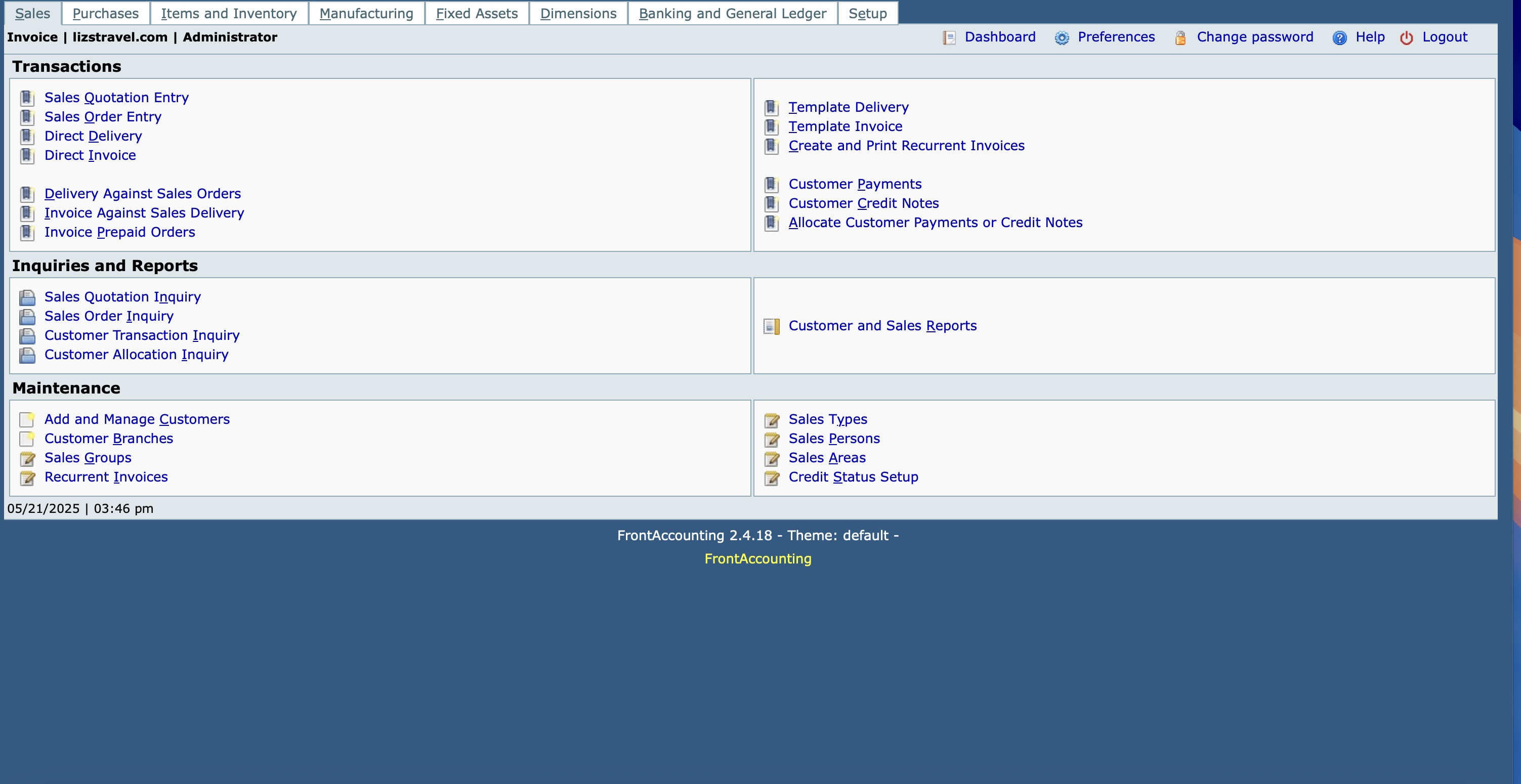
To provide deeper insights, FA supports up to two levels of Dimensions, such as projects or cost centers, for detailed tracking and reporting. Users benefit from a wide array of pre-configured financial reports like income statements and balance sheets, with the added flexibility of custom reports that can be printed, emailed, converted to PDF, or exported to Excel. Its multi-currency and multi-language support makes it a practical choice for businesses operating globally.
While it doesn't feature a traditional plugin system, FA's built-in options and customizable report and document layouts offer significant flexibility.
The primary advantages of FA lie in its cost-effectiveness, as it eliminates licensing fees, and its flexibility and scalability, owing to its open-source nature. Its web-based accessibility allows users to manage their finances from any location with an internet connection. Overall, FA presents a powerful, free, and customizable accounting and ERP solution for small to medium-sized businesses, particularly those with the technical capacity to manage a web-based application.
What to read next-
 Hostinger review 2026
-
 Best invoicing app of 2025
-
 Best web hosting services: tested and reviewed for 2026
What is Hostinger?
Hostinger is a prominent web hosting company that helps companies and individuals establish an online presence. Its offerings include everything from WordPress to VPS.
Founded in 2004, Hostinger offers competitive pricing, reliable performance with a 99.9% uptime guarantee, and various tools designed to simplify website management. The company's user-friendly hPanel control panel provides an intuitive interface for managing hosting accounts, websites, and associated services.
One of Hostinger's key offerings for ease of use is its Auto Installer tool. This tool simplifies the process of setting up popular web apps. Users can install a wide variety of Content Management Systems (CMS) like WordPress, Joomla, Drupal, and PrestaShop, as well as e-commerce platforms, CRM software, billing applications, and more, with just a few clicks.
Instead of requiring manual database creation and file uploads, the Auto Installer automates these technical steps, making it much easier for beginners and those who prefer a quicker setup. Users select the desired application from a list and provide.
Installing FrontAccounting to Hostinger
Installing FA on Hostinger typically involves two main approaches: using Hostinger's Auto Installer or a manual installation process, which is the more common and reliable method given FrontAccounting's open-source nature. For my use, I installed FrontAccounting using the Auto Installer feature.
To do so:
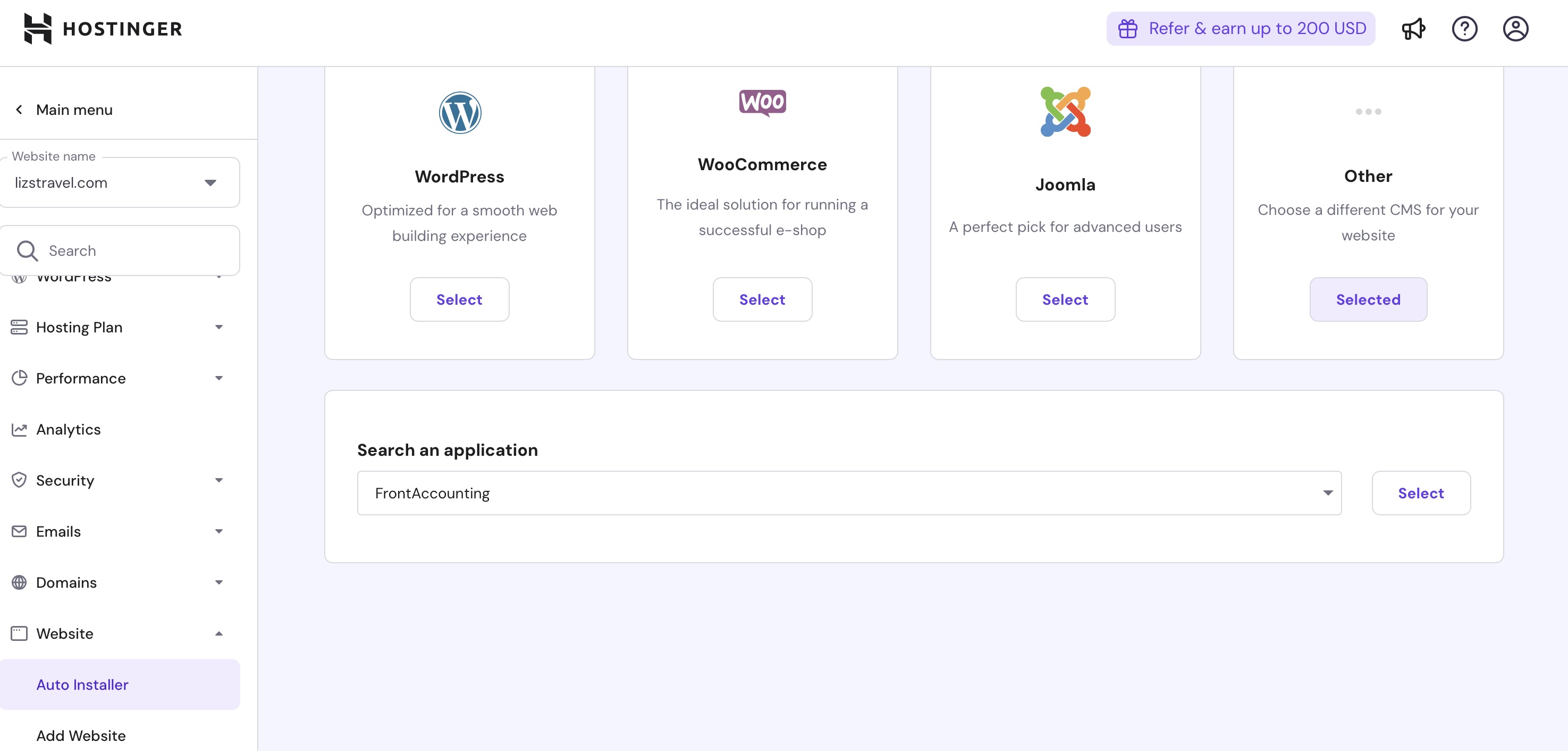
- Log in to your Hostinger account on the company website.
- Next, in the directory on the left, choose Websites.
- Choose Dashboard next to the name of your account.
- Once again in the directory on the left, choose Websites followed by Auto Install.
- Under Other, choose Select.
- In the pulldown menu, choose FrontAccount.
- Choose Select.
The next steps involve setting up a database for FA. I suggest installing FrontAccounting on a subdirectory of your website. As such:
- On the popup menu, add a Website title, administrator email, administrator username, and administrator password.
- Select Advanced.
- Type in a name for your subdirectory in the Enter Subdirectory box.
- Be sure to create a new database and assign it a password.
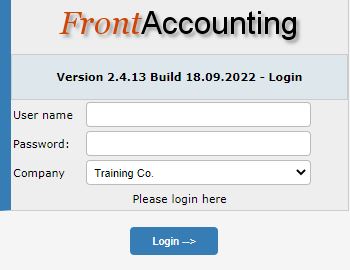
Once the database is installed, you can set up FA by going to the main page of the FA installation. This is location at http://(yourdomain)/(the subdirectory you created.)
On that menu, you'll need to add the username and password you choose above.
Final steps
After the initial installation of FrontAccounting, a thorough setup is crucial to align the system with your business operations. This involves configuring core Company Setup details like your business name, address, fiscal year, primary currency, and uploading your company logo.
The General Ledger (GL) Setup is fundamental. It requires you to define your Chart of Accounts by setting up account classes and specific GL accounts, managing fiscal years, and inputting opening balances if migrating from another system. For businesses dealing with multiple currencies, currency rates must also be established.
Beyond financial accounts, you'll need to configure settings for Sales and Accounts Receivable, including sales types, customer categories, and payment terms, as well as Purchases and Accounts Payable with supplier categories and purchase terms. Inventory and Stock Setup involves defining item categories, units of measure, and storage locations.
Finally, Tax Setup is crucial to define various tax types, groups, and authorities for compliance. Additional Bank Accounts beyond the primary one should be added and linked to their respective GL accounts. Dimensions can be optionally set up for detailed analytical reporting to track data by projects or departments. Finally, managing Users and Roles is vital for security, allowing you to create user accounts and assign specific permissions. Regularly backing up your data through the Maintenance and Utilities section is a key ongoing task to ensure data integrity.
 Bryan M WolfeSocial Links Navigation
Bryan M. Wolfe is a staff writer at TechRadar, iMore, and wherever Future can use him. Though his passion is Apple-based products, he doesn't have a problem using Windows and Android. Bryan's a single father of a 15-year-old daughter and a puppy, Isabelle. Thanks for reading!
View MoreYou must confirm your public display name before commenting
Please logout and then login again, you will then be prompted to enter your display name.
Logout Read more
Pro
5 essential features of sole trader accounting software
Software & Services
Best small business software of 2026
Website Hosting
Hostinger review 2026
Software & Services
Best invoicing app of 2025
Website Hosting
Best web hosting services: tested and reviewed for 2026
 Website Building
Hostinger Website Builder review 2026
Latest in Software & Services
Website Building
Hostinger Website Builder review 2026
Latest in Software & Services
 Software & Services
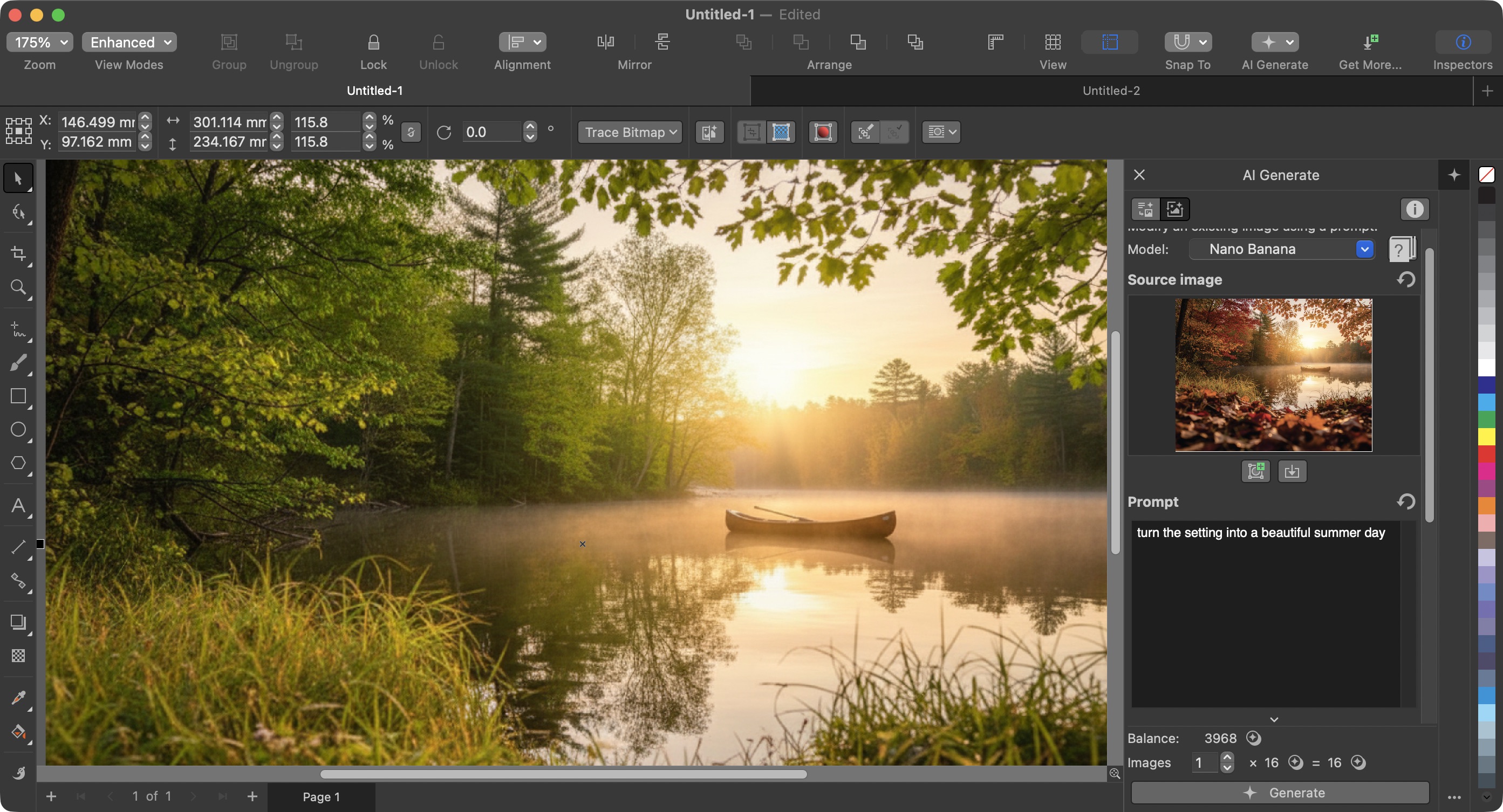
CorelDRAW Graphics Suite 2026 review
Software & Services
CorelDRAW Graphics Suite 2026 review
 Software & Services
Autodesk Flow Studio challenge: Can I design a free 3D model with just 300 credits with Wonder Tools?
Software & Services
Autodesk Flow Studio challenge: Can I design a free 3D model with just 300 credits with Wonder Tools?
 Software & Services
Autodesk Flow Studio: I explored everything the new Wonder 3D tools can do
Software & Services
Autodesk Flow Studio: I explored everything the new Wonder 3D tools can do
 Pro
Adobe Express and Acrobat are coming for business users in Microsoft 365 Copilot, 'making creativity more accessible to everyone'
Pro
Adobe Express and Acrobat are coming for business users in Microsoft 365 Copilot, 'making creativity more accessible to everyone'
 Pro
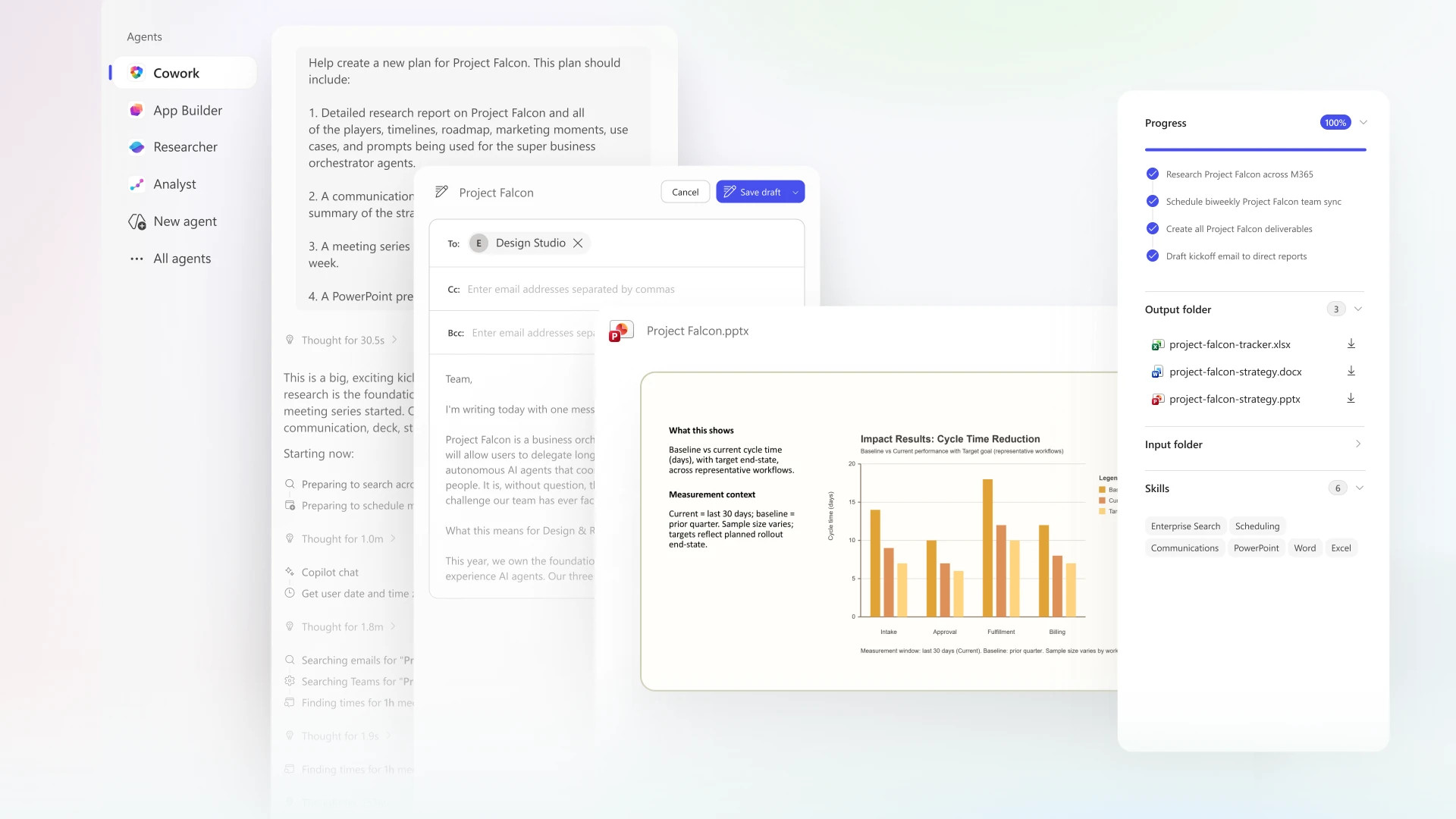
'The era of Copilot execution is here': Microsoft's Copilot Cowork is here with Anthropic AI to conquer all your biggest work tasks
Pro
'The era of Copilot execution is here': Microsoft's Copilot Cowork is here with Anthropic AI to conquer all your biggest work tasks
 Software & Services
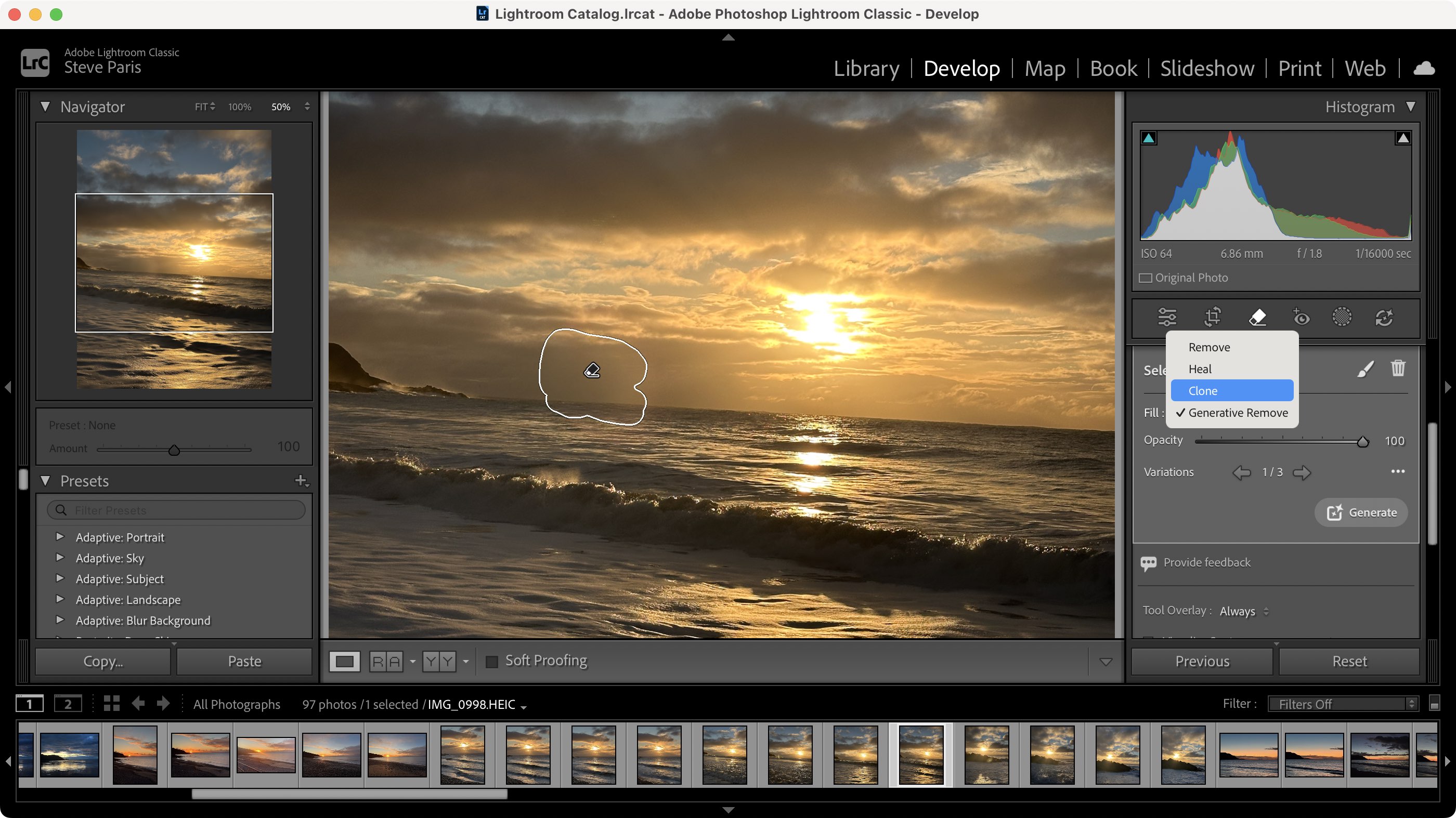
Adobe Lightroom Classic (2026) review: Perfect photo organization with time-saving AI at its best — but it can be hit and miss
Latest in Features
Software & Services
Adobe Lightroom Classic (2026) review: Perfect photo organization with time-saving AI at its best — but it can be hit and miss
Latest in Features
 AI Platforms & Assistants
Stonehenge was built by guys in hard hats — if you believe AI slop
AI Platforms & Assistants
Stonehenge was built by guys in hard hats — if you believe AI slop
 BBC iPlayer
All 8 episodes of new BBC crime drama Mint are now streaming on BBC iPlayer
BBC iPlayer
All 8 episodes of new BBC crime drama Mint are now streaming on BBC iPlayer
 AI Platforms & Assistants
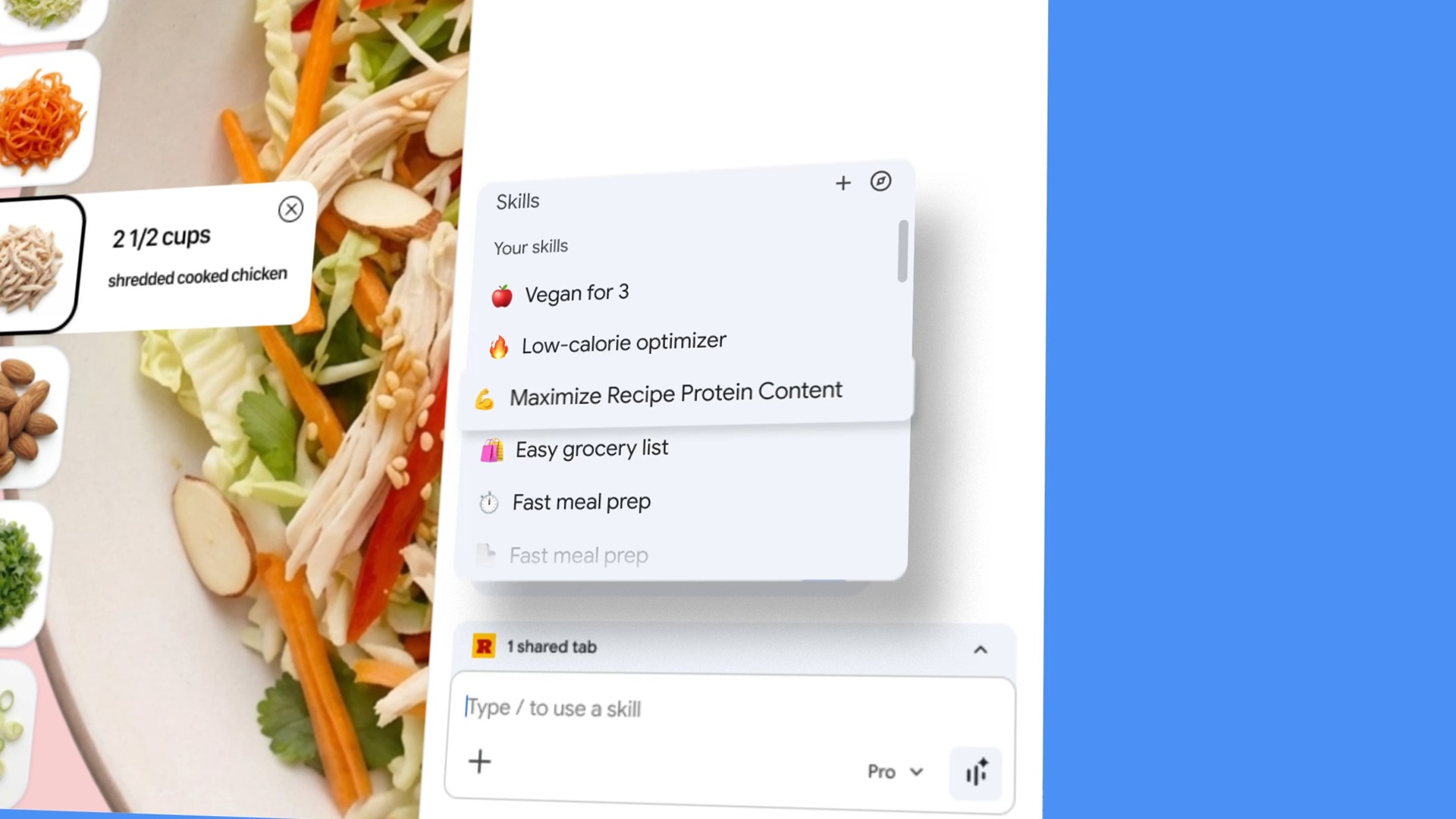
Chrome’s new AI Skills feature turned my prompt idea into a reusable tool
AI Platforms & Assistants
Chrome’s new AI Skills feature turned my prompt idea into a reusable tool
 Gemini
 used my Google Photos library to get personal when making images
Gemini
Gemini used my Google Photos library to get personal when making images
 AI Platforms & Assistants
Sam Altman-backed firm warns AI will soon outgrow facial recognition
AI Platforms & Assistants
Sam Altman-backed firm warns AI will soon outgrow facial recognition
 Health & Fitness
The forward lunge is the best simple move you're not doing, and it's vital for over-50s
LATEST ARTICLES
Health & Fitness
The forward lunge is the best simple move you're not doing, and it's vital for over-50s
LATEST ARTICLES- 1US security agency still using Mythos despite ban – government using new security tool despite Pentagon's 'supply chain risk' designation
- 2What is the release date for Running Point season 2 on Netflix?
- 3Bluetti Elite 30 V2 review: An all-rounder portable power station for those who work or play outdoors
- 4iPhone 17 Pro vs iPhone Air: a choice between head and heart
- 5You won't believe AI's take on the 'history' of Stonehenge — and I am so over AI slop